Subtitles enhance the quality of your class and help students understand the content more easily. Please be sure to prepare them for a better learning experience.
How can I create subtitles?
Subtitles can be created by choosing one of 2 methods (CLASS101 automatic subtitles or manual subtitles).
Method 1. CLASS101 Automatic Subtitle Creation
Automatic subtitles are generated by AI, so there may be typos. Once generation is complete, please check the content and edit before using.
Subtitle generation can take up to 24 hours. If subtitles are not generated after 24 hours, please let us know through the chat [Contact] at the bottom right of Creator Center.
Method 2. Manual Subtitle Creation
Subtitle files uploaded in SRT format are automatically converted to VTT files.
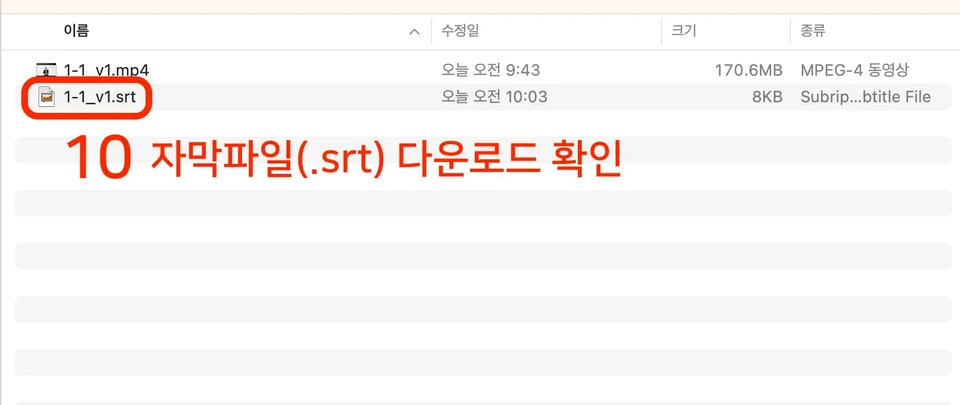
You need to prepare subtitle files separately from the video, and the filename should be written as "0-0.srt", identical to the video.
Creating Subtitles with VREW (Partially Paid)
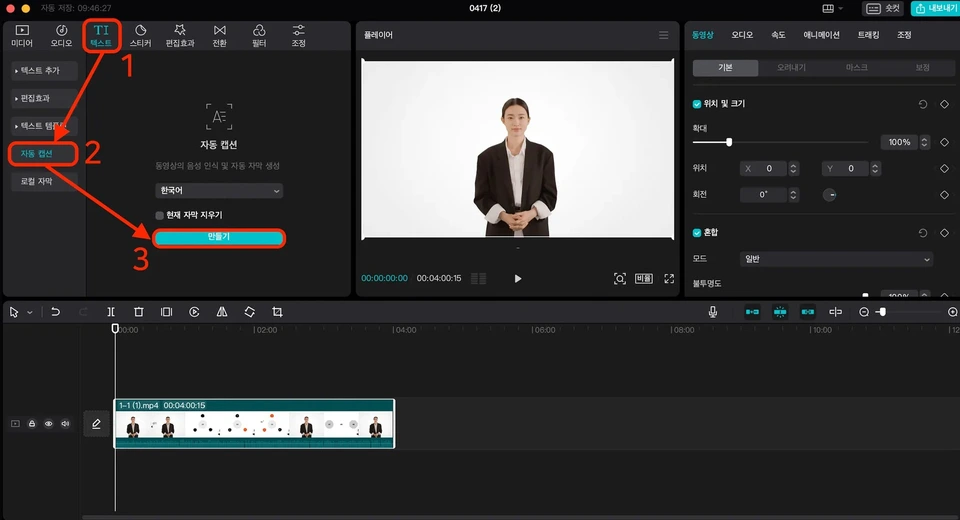
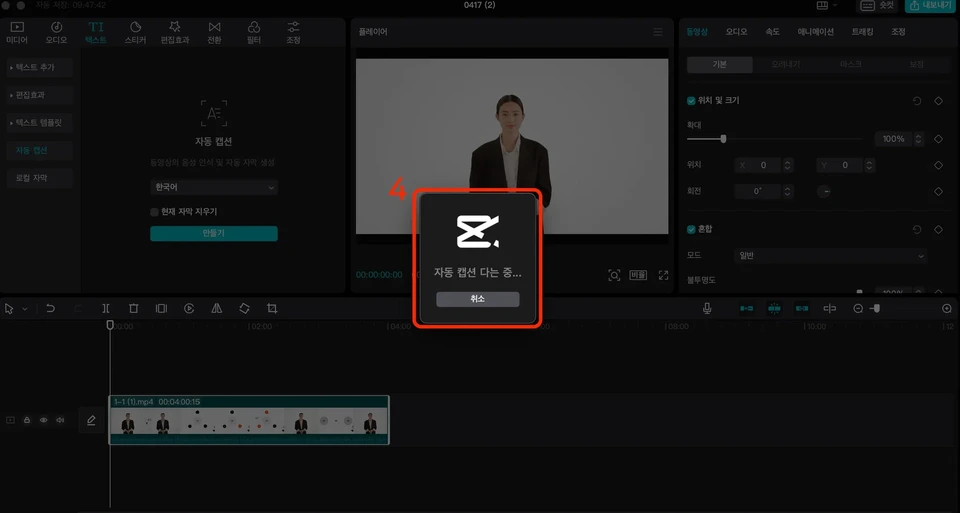
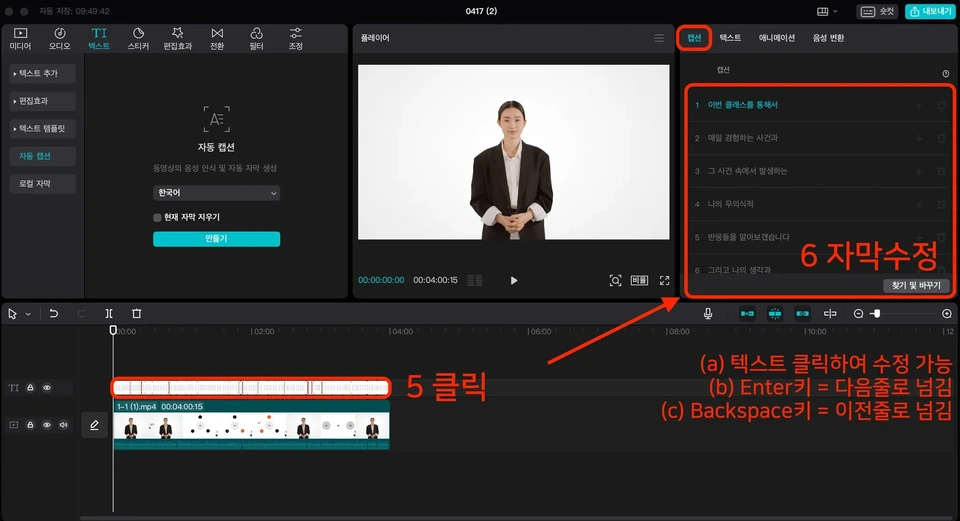
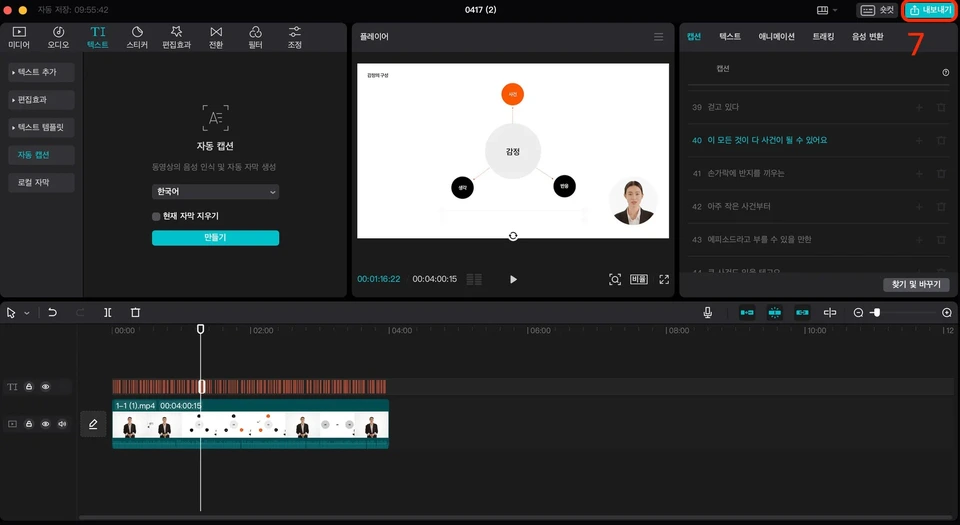
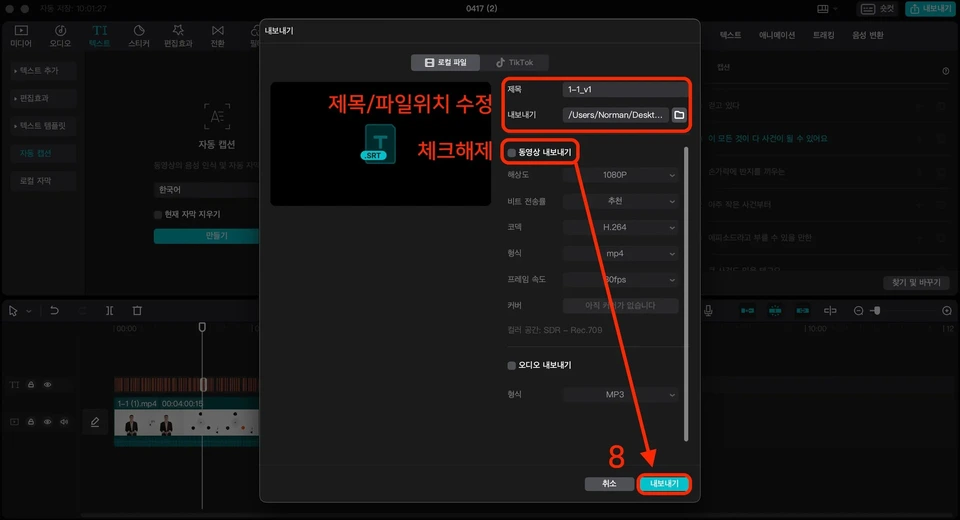
Creating subtitles with CapCut(partially paid)


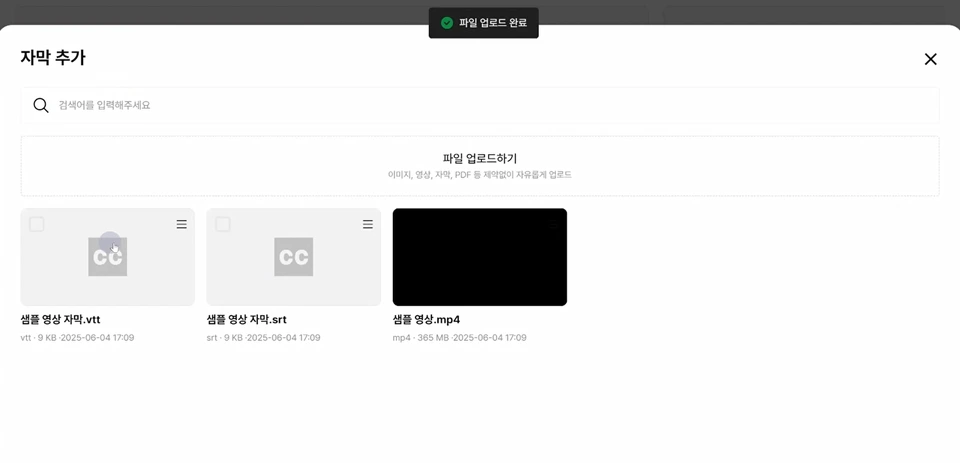
How do I upload subtitle files directly?
When you upload an SRT subtitle file to the learning environment, Class's built-in file converter automatically converts the SRT file to a VTT file.
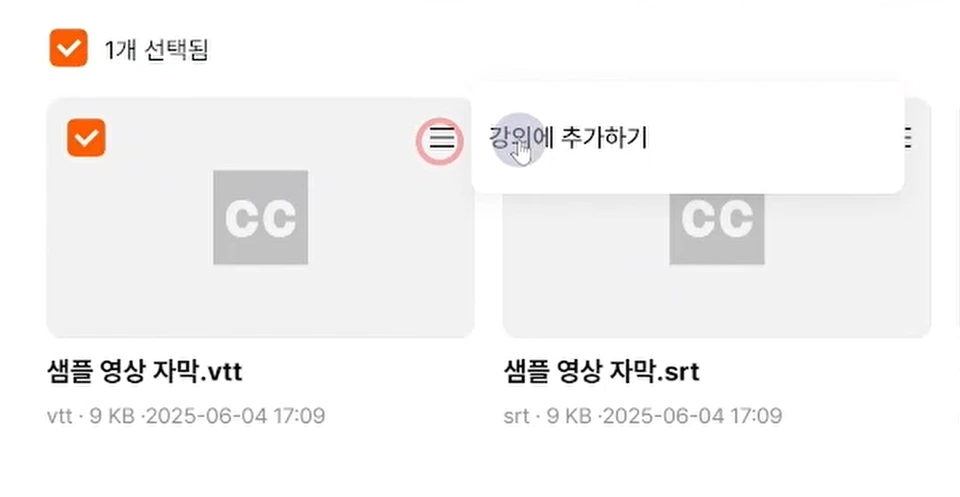
Right after clicking the VTT file, please click the 'Add to Lecture' button.