What is a Creator Message?
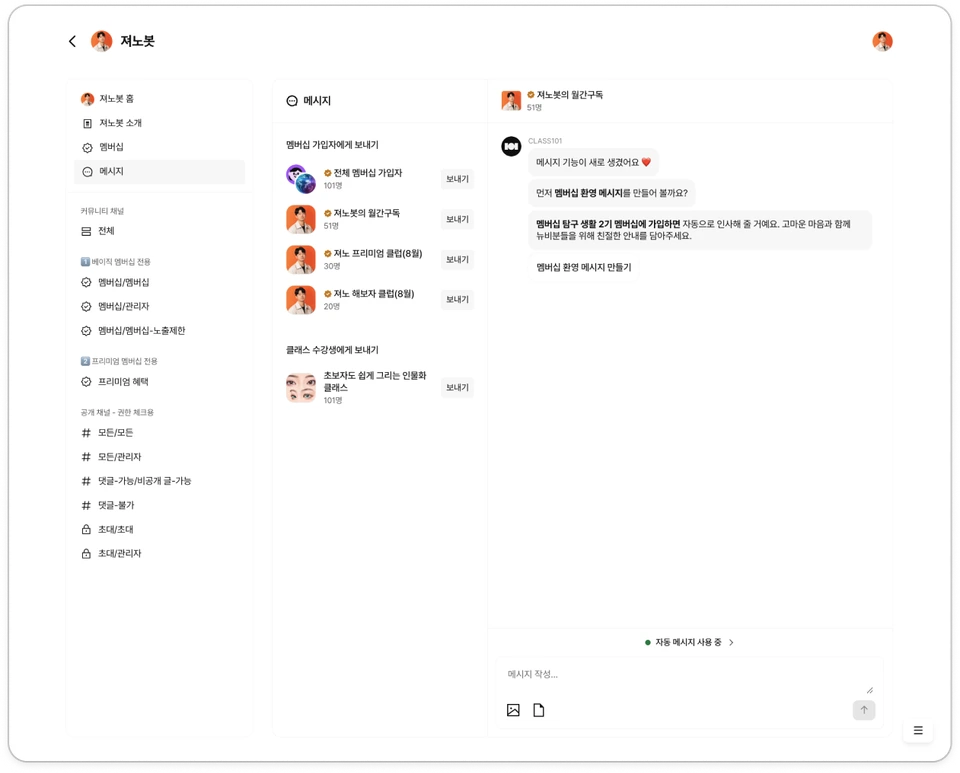
This feature allows Creators to send messages directly to paid users (membership subscribers and class enrollees) who are currently accessing their content. Previously, options for reaching enrolled students and membership members directly were limited — now you can send messages directly from your Creator Home.
Please check the following before use
Creator Messages are only available through Creator Home . Even if you have a class or membership, you cannot use the messaging feature unless your Creator Home is open, so please open your Creator Home first.
Who can receive messages?
You can send messages to the following two types of users.
Users with an active membership subscription
Users currently enrolled in a class (with a valid enrollment pass)
Messages are only sent to users who are currently accessing your content. Previous purchasers whose enrollment has ended or membership has expired will not receive messages.
Automated Message Settings (Welcome & Onboarding)
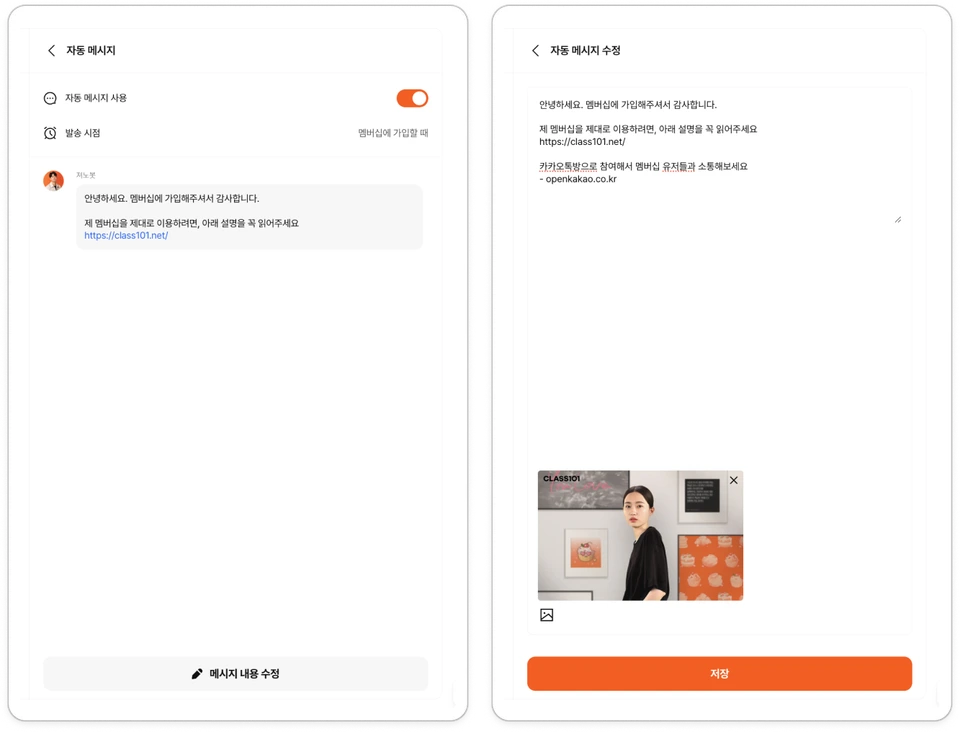
You can set up messages that are automatically sent when a user joins or purchases, on a per-membership or per-class basis.
By default, a preset message is provided, and you can freely customize it to your liking.
Automatic (onboarding) messages are sent once via Kakao notification.
How are messages delivered?
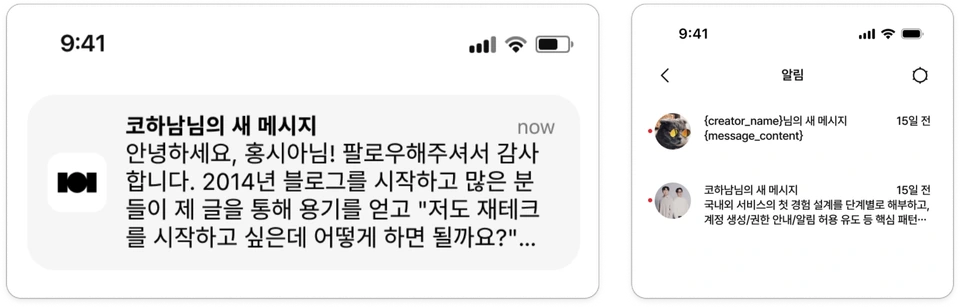
Messages sent by a Creator are delivered as in-app push notifications and accumulate in the app's notification inbox, so users can check them again at any time.
You can attach files and images along with text, and send up to 10 attachments per message at once.
Things to keep in mind when writing messages
The Creator message feature is designed for communicating with users who are currently using your content. Please focus on writing content that is helpful to the service they are using.
Please avoid direct payment-prompting phrases such as "Closing soon", "Please make a payment", or "Please buy more".
When sharing news about a new class or club, it is recommended to frame it as informational content that connects to the user's existing learning experience.
Frequently Asked Questions
Q. Can I also send images or files?
A. Yes, you can attach images and files along with text, and send up to 10 attachments per message at once.
Q. Can I send messages to users who made a purchase in the past?
A. Creator messages are only sent to currently active users. Messages will not be sent to users whose enrollment has ended or whose membership has expired.
Contact Us
If you have any questions while using Creator messages, please leave them in the Creator Center support channel.