Withdrawal Request Policy
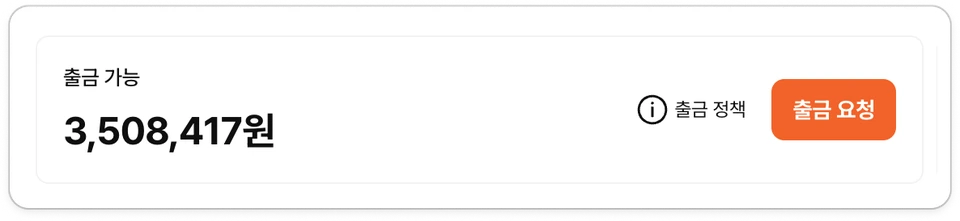
You can request a withdrawal when the 'withdrawable amount' for all products included in revenue withdrawal exceeds the 'minimum withdrawable amount'
Registration of 'settlement information' is required to request withdrawals.
Tax calculations (VAT and withholding tax) are processed based on the 'settlement information' selected when requesting withdrawal
Withdrawal requests made in the current month are compiled on the first business day of the following month and paid on the 15th business day of the following month (KST).
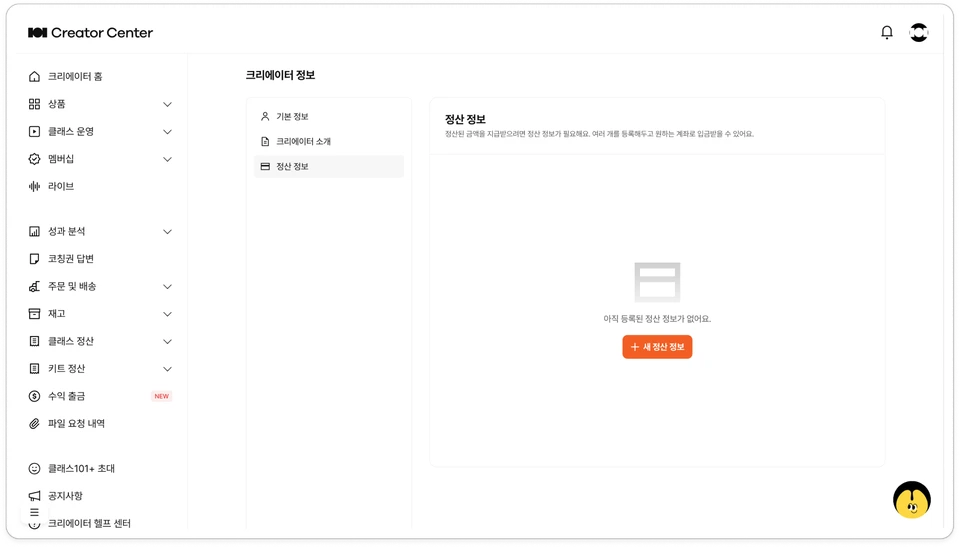
Register Settlement Information
💡 Creator Center > Click profile image in top right > Creator Information > Settlement Information
Click [+ New Settlement Information].

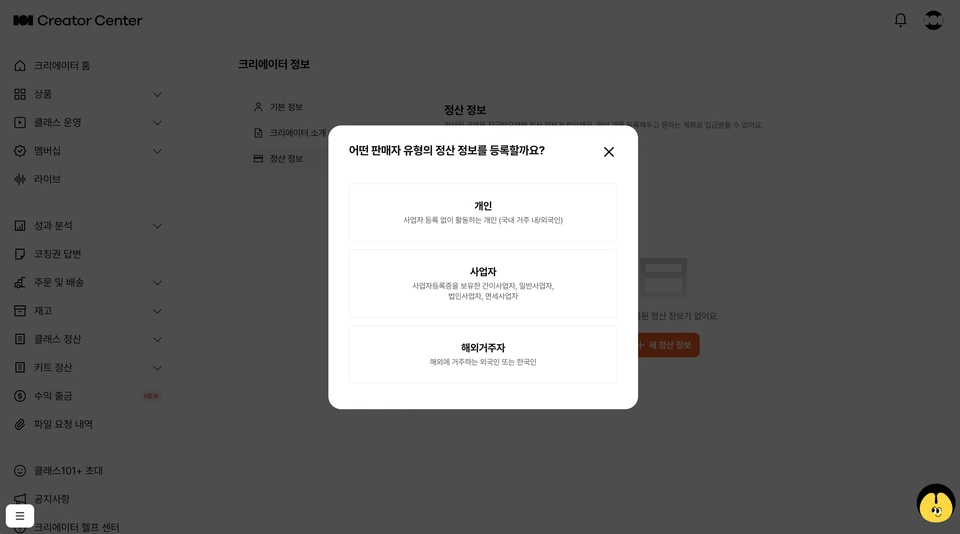
Select your region of residence and business type.

Korean resident creators : Select 'Individual' or 'Business' → Select Korean bank account
Overseas resident creators (including foreigners) : Select 'Overseas Resident' → Select international transfer (overseas account)
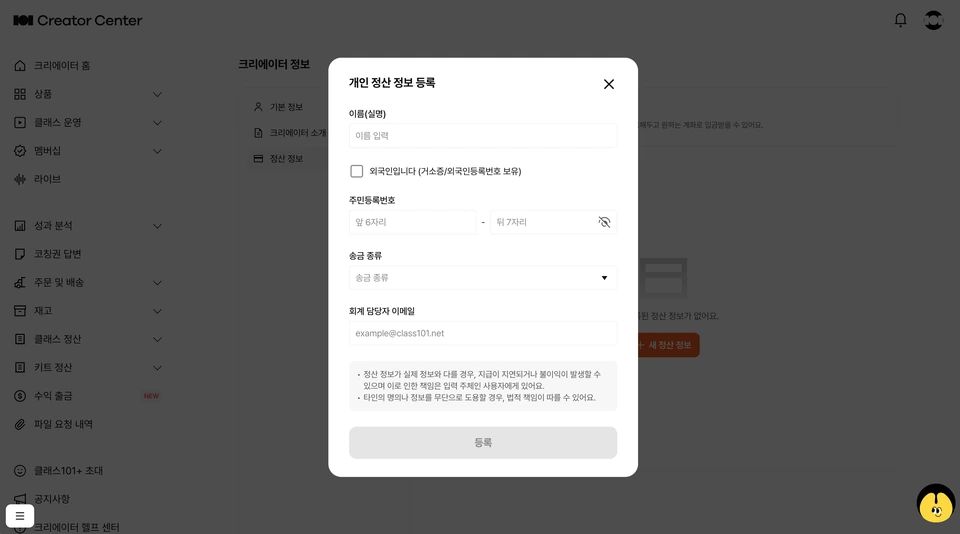
Enter information matching your business type and deposit account information.

If you select 'Individual', choose name/resident registration number/transfer type and enter account information (bank name/account holder/account number).
If you select 'Business', choose 'business type' and enter business registration number and account information (bank name/account holder/account number).
If you select 'Overseas Resident', choose nationality/country of residence and payment method (international transfer or Korean account) and enter the corresponding account information.
Enter the 'accounting manager email' to handle issuance of qualified receipts such as tax invoices for payments.
Tax invoice reverse billing through Popbill will be sent to the 'accounting manager' email entered when registering 'settlement information'.
After entering all information and clicking [Register], new settlement information will be registered.
You can delete settlement information anytime and set an easy-to-remember 'nickname'.
Withdrawal request process
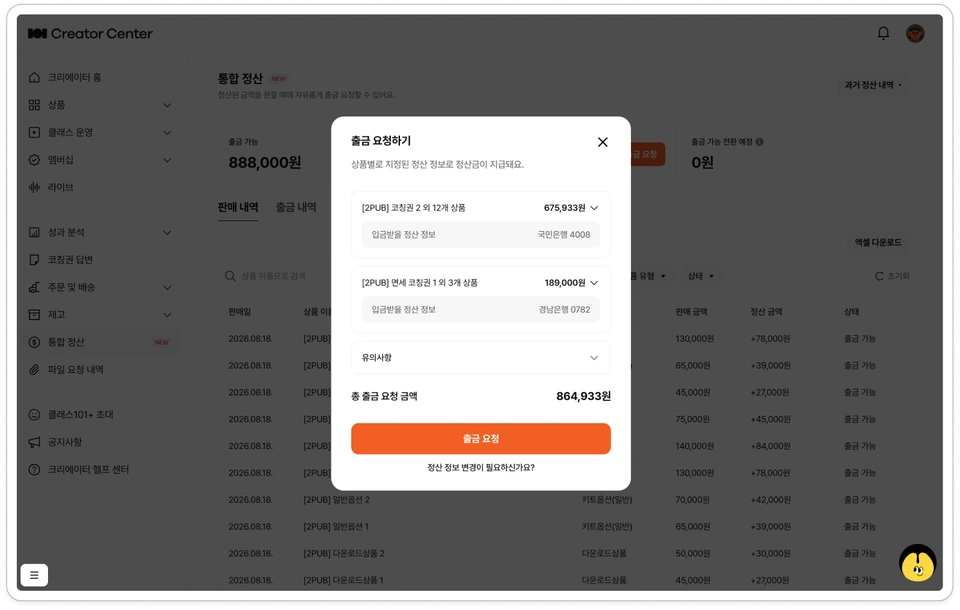
Click [Request Withdrawal].

In the <Request Withdrawal> modal, select 'Deposit Target' and 'Withdrawable Products'.
Check the calculated taxes (VAT and withholding tax) based on the selected 'Deposit Target (settlement information)'.
Check the 'Final withdrawal amount' and click [Request Withdrawal].
Check the applied 'withdrawal request' in Revenue Withdrawal > Withdrawal History.
Please note!
For withdrawal requests that require tax invoice processing, CLASS101 may request the issuance of qualified documentation such as tax invoices through Popbill in accordance with relevant laws and accounting standards. Please be sure to issue (approve reverse issuance) by the 10th of the following month (KST, or the next business day if that day falls on a Saturday or holiday) of the month you applied for withdrawal!
If you do not issue by the tax invoice reverse issuance approval deadline, the withdrawal request will be automatically canceled and the requested amount will be returned to the 'withdrawable' amount in your settlement wallet.
⚠️ When registering settlement information, please be sure to accurately select your actual country of residence.
The tax calculation processing method is determined by your country of residence and remittance type. Registering with an incorrect residence type may cause tax processing errors and withdrawal may be delayed or canceled.
If you reside in Korea, please register as 'Individual' or 'Business', not 'Overseas Resident'. If you live in Korea but register as an overseas resident, tax processing will not proceed correctly.
If you reside overseas (outside Korea), please register as 'Overseas Resident', not 'Individual' or 'Business'.
Settlement information registered with a type different from your actual country of residence may be withheld or canceled during the payment review process.