AIThis document was translated by AI and may contain mistakes.

I need to register settlement information. How do I do it?

Managing Settlement Information

  • You can now register and manage 'settlement information' directly in the Creator Center.

  • You can set a custom 'nickname' for each settlement information that's easy for you to identify.

  • Settlement information is difficult to modify and can be re-registered after deletion.

Registering New Settlement Information

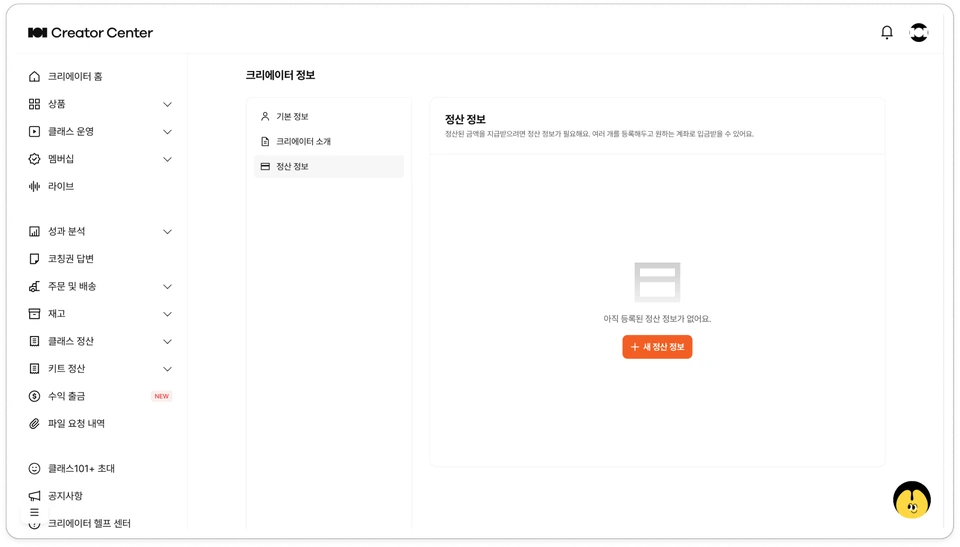
💡 Creator Center > Click profile image in top right > Creator Info > Settlement Information

  1. Click [+ New Settlement Information].

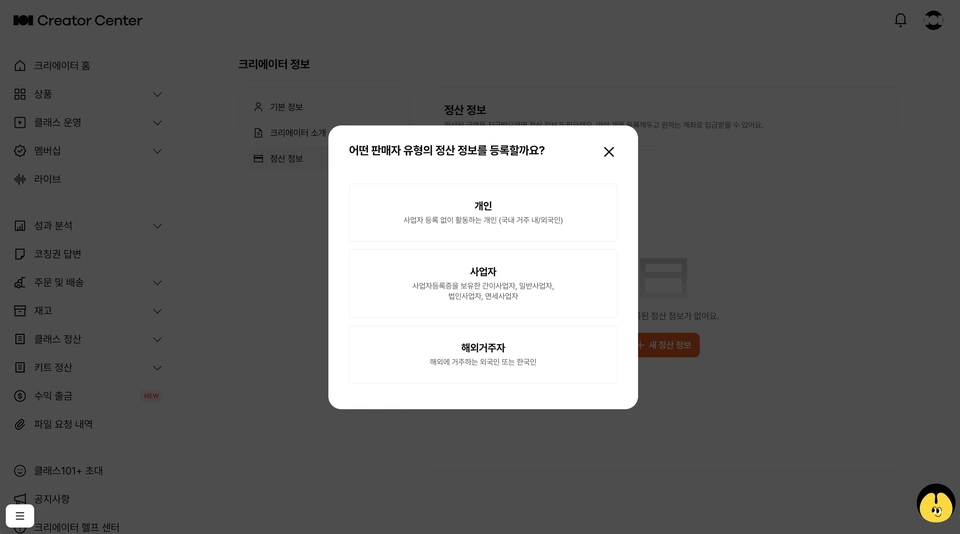
  2. Select your region of residence and business type.

    • Korea Residents: Select 'Individual' or 'Business' → Only transfers to Korean bank accounts available

    • Overseas Residents (including foreigners): Select 'Overseas Resident' → International transfer (overseas account) or Korean account options available

  3. Enter information and deposit account details that match your business type.

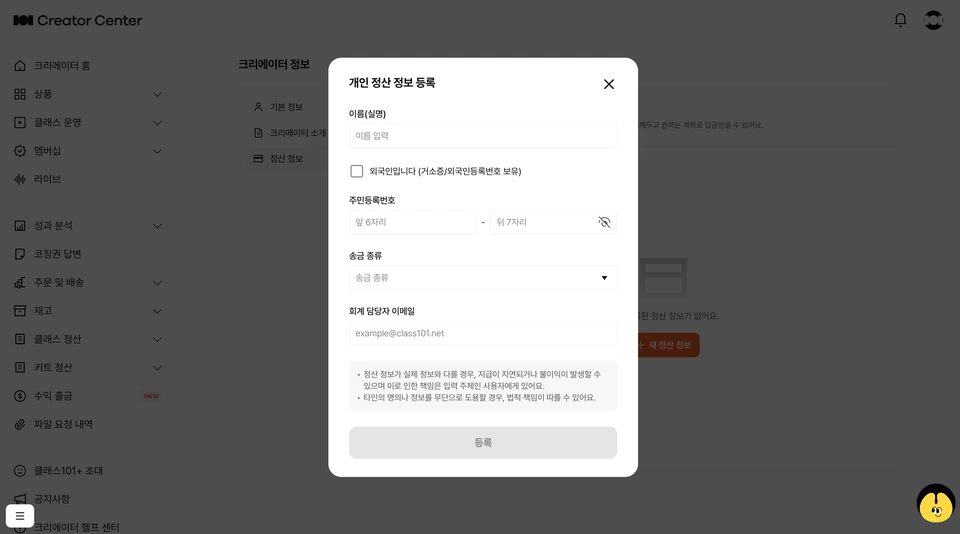
    • If you select 'Individual', choose name/resident registration number/remittance type and enter account information (bank name/account holder/account number).

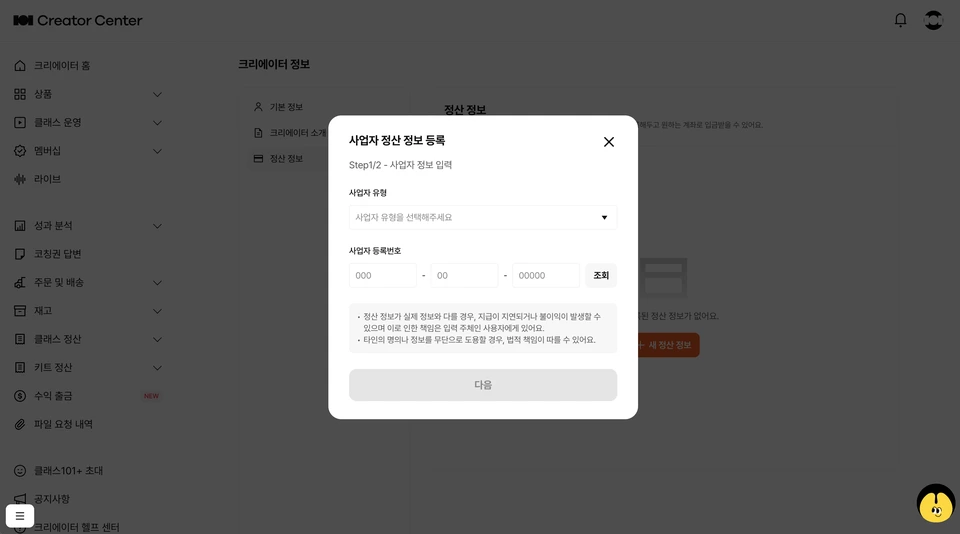
    • If you select 'Business', choose 'Business Type' and enter business registration number and account information (bank name/account holder/account number).

    • If you select 'Overseas Resident', choose nationality/country of residence and receiving method (overseas remittance or Korean account) and enter the corresponding account information.

  4. Enter the 'accounting manager email' to handle issuance of qualified supporting documents such as tax invoices for payments.

    • Tax invoice reverse issuance through Popbill will be sent to the 'accounting manager' email entered when registering 'settlement information'.

  5. After entering all information and clicking [Register], new settlement information will be registered.

  6. You can delete settlement information anytime and set an easy-to-remember 'nickname'.

Settlement Information (Business Type) Change Policy Guide

📌 Settlement type changes (changes where business type changes, such as Individual ↔ Business) are managed by product, and cutoff policies may apply when making changes.

  1. Changes within the same type (e.g., individual→individual, business→business) can be made freely. Even if account information or business details change, if the business type remains the same, it will be applied immediately.

  2. Changes that involve switching business types (e.g., individual↔business) are subject to product-level cutoff policies.

  • You can change the settlement type for a product after completing withdrawal of the current 'withdrawable' remaining amount using the existing settlement information.

  • When attempting to make changes, you can check the cutoff conditions and remaining withdrawable amount.

  1. For unavoidable reasons (e.g., business closure, account closure, etc.) that require type changes, please contact us through AI Happy Chat in Creator Center, and our staff will handle it individually after review.

💬 Please contact us through AI Happy Chat

When changes to existing settlement types or settlement information are needed due to unavoidable circumstances such as business closure or account closure, individual processing will be handled through staff review rather than direct system changes.

  • If there are related changes, please contact us as soon as possible. If the withdrawal request processing schedule (15th business day of the following month) is already in progress, settlement payment for that round may be delayed or suspended.

  • When contacting us, providing the reason for change and related documents (business closure certificate, account change details, etc.) will help facilitate smoother processing.

ℹ️ Subscription settlement products (Class+) are not subject to cutoff policies.

Was this document helpful?

져노Edited 5 days ago by 져노