What is per-product settlement information assignment?
From now on, each active product will have a designated settlement account pre-assigned to receive payouts.
Previously, you selected a deposit target (settlement information) at the time of requesting a withdrawal. Now, settlement information is pre-linked per product, so you no longer need to select one separately when requesting a withdrawal.
💡 Creator Center > Integrated Settlement > Settlement Information Management
What happens to previously registered settlement information?
There is nothing you need to do separately. It will be linked automatically based on the criteria below.
Situation | How it's handled |
|---|---|
If settlement information has already been registered | The existing settlement information is automatically linked to all products you own |
If you don't have any settlement information registered yet | Automatically linked to existing products at the time of new registration |
If you have tax-exempt products | Linked based on tax-exempt business settlement information. If no tax-exempt business settlement information is registered, it is displayed as 'Settlement Info Not Registered' |
Why are tax-exempt products linked separately?
Tax-exempt products are exempt from VAT and are taxed differently from taxable products. For this reason, withdrawal requests can only be made using tax-exempt business settlement information.
If you have tax-exempt products but have not registered your tax-exempt business settlement information, those products will be displayed as 'Settlement Info Not Registered' and withdrawal requests will be restricted. Once you register your tax-exempt business settlement information, they will be linked automatically.
👉 Please check the document below for the scope of tax-exempt products and how to register them: I registered as a tax-exempt business, but some products are unavailable for withdrawal
I want to check the assigned settlement information
Go to Creator Center > Profile in the top right > Creator Info > Settlement Info Management.
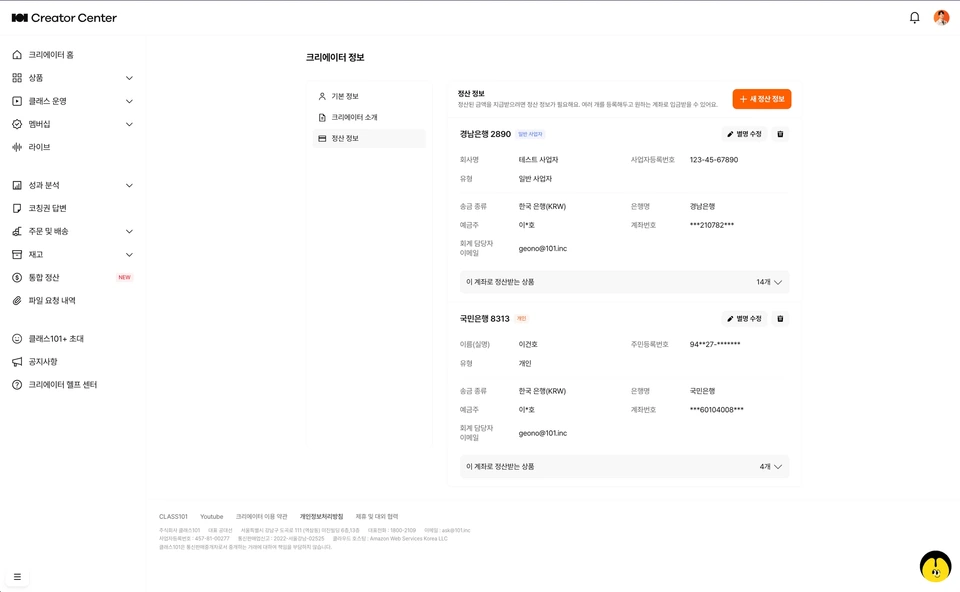
Check the settlement information linked to each product.
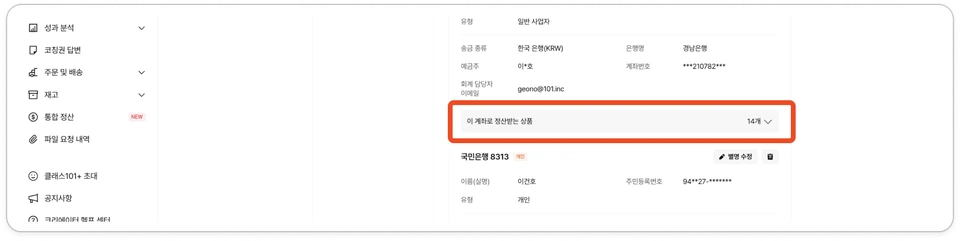
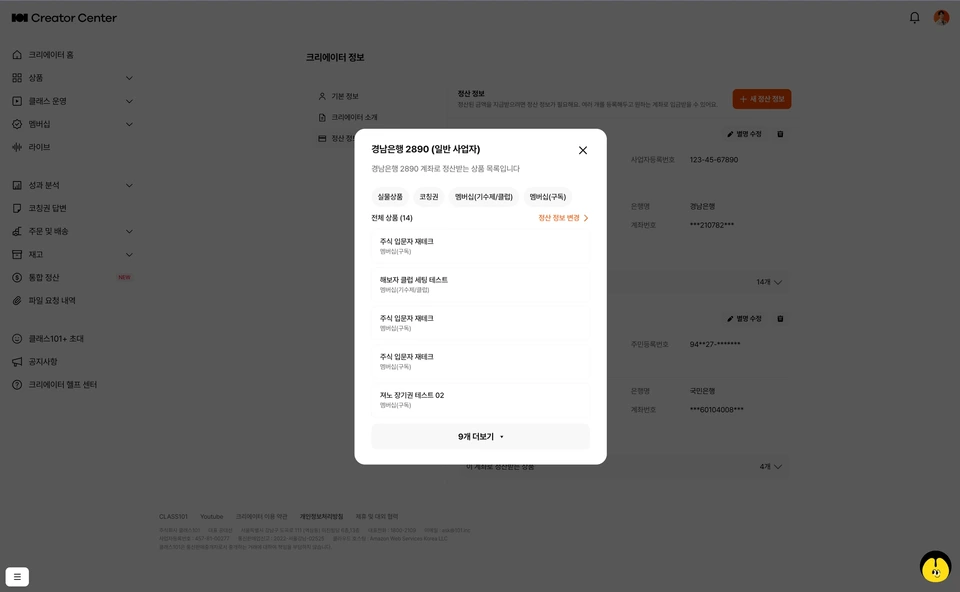
For any product that needs to be changed, click [Change] to select different settlement information.
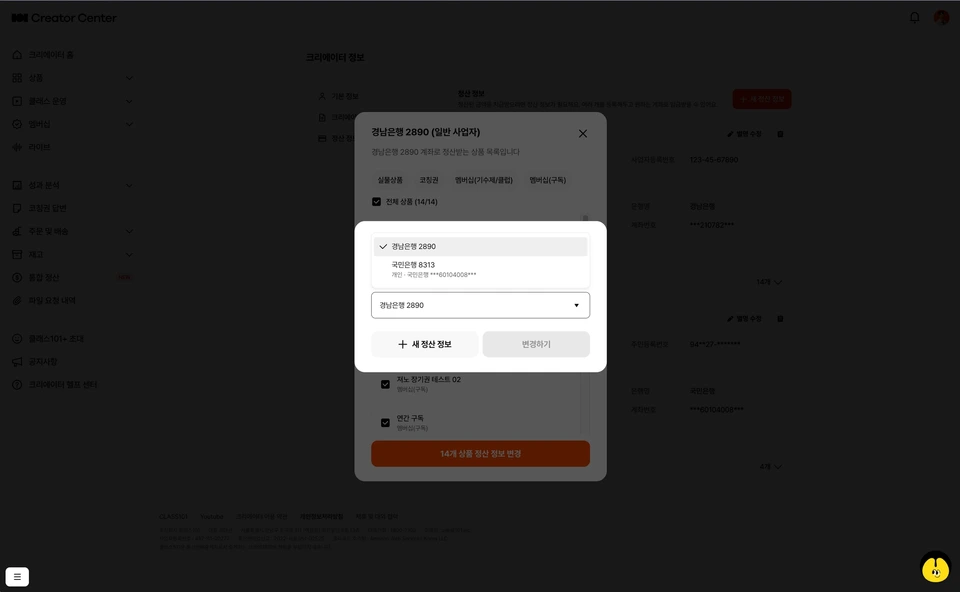
If you are managing multiple products, please verify that each product is linked to the intended settlement information. This is especially important if you are using both personal and business accounts, or if you are managing both taxable and tax-exempt products.
Can I change the designated settlement information?
Yes, you can change it at any time.
However, if there is already an amount that has been converted to 'Withdrawable' status, a cutoff policy will apply. In this case, you must first complete the withdrawal request using the existing settlement information before making the change.
👉 For more details, see below: What is the settlement information change cutoff?
📌 In summary
Settlement information is automatically linked to each product once upon initial setup, and no separate application is required.
Tax-exempt products can only be linked once tax-exempt business settlement information has been registered.
The designated settlement information can be changed at any time; if there is a withdrawable balance, a cutoff policy will apply.