Business Type-Specific Proof Methods and Platforms
Business Type | Proof Method | Platform |
|---|---|---|
Small-Scale Taxpayer | Cash Receipt | Hometax |
Why a Cash Receipt Must Be Issued
Creators registered as small-scale taxpayers must issue a cash receipt in advance through Hometax after requesting a withdrawal and by the 10th of the following month . (Unlike tax invoices, CLASS101 cannot submit a reverse-issuance approval request on your behalf.)
You must complete the cash receipt issuance process to receive your next month's settlement payment without issues.
[Step 1] Check the Settlement Amount
Go to Creator Center > Integrated Settlement > Withdrawal History.
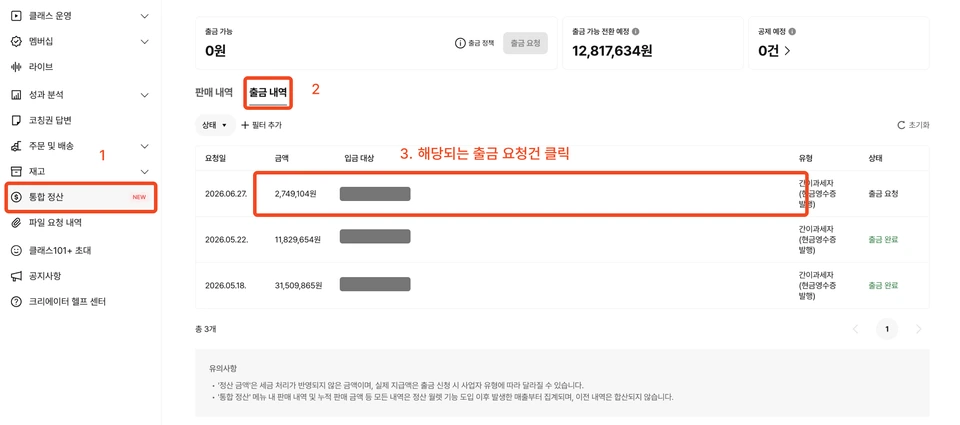
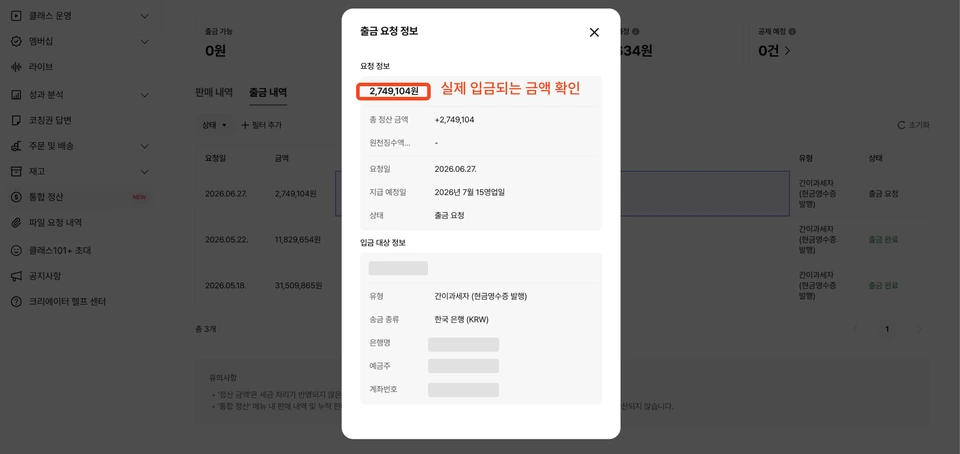
Click on the withdrawal history and check the amount based on the settlement amount (actual deposited amount).
[Step 2] Issue a Cash Receipt on Hometax
1. Access and Log In to Hometax
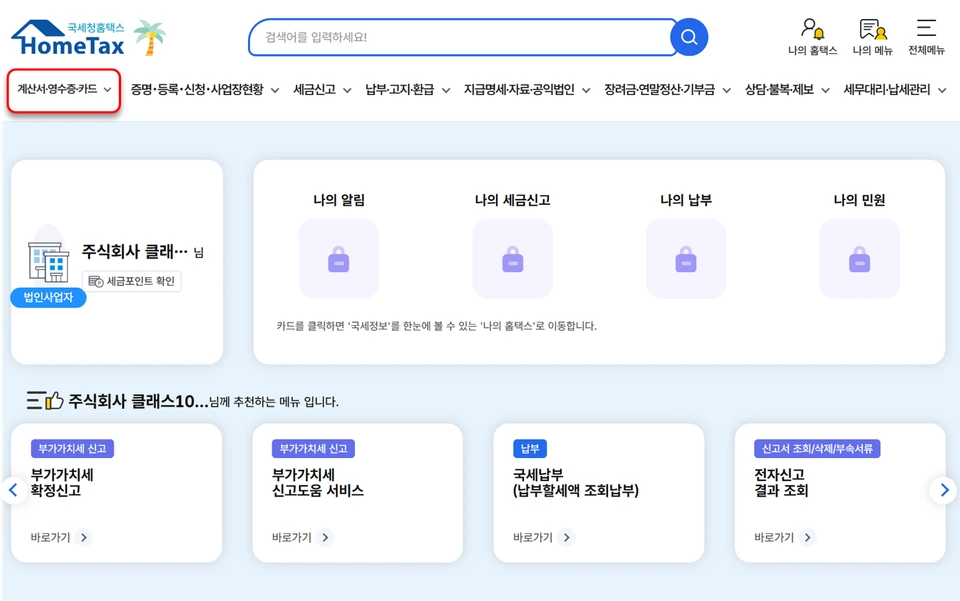
Go to the National Tax Service Hometax (hometax.go.kr) and log in with your certificate.
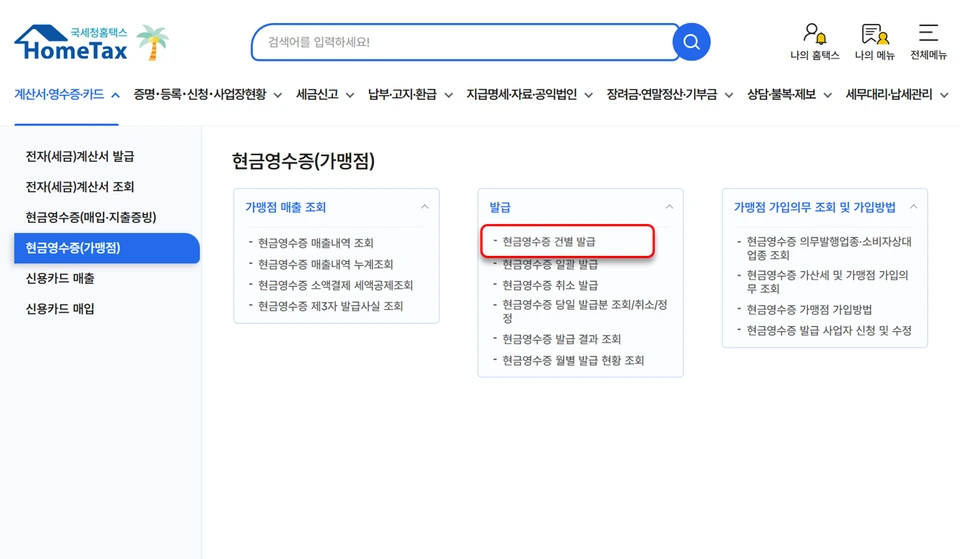
In the top menu, click Invoice•Receipt•Card.
2. Navigate to the Cash Receipt Issuance Menu
In the left menu, click Cash Receipt (Merchant) > Issue Cash Receipt by Transaction.
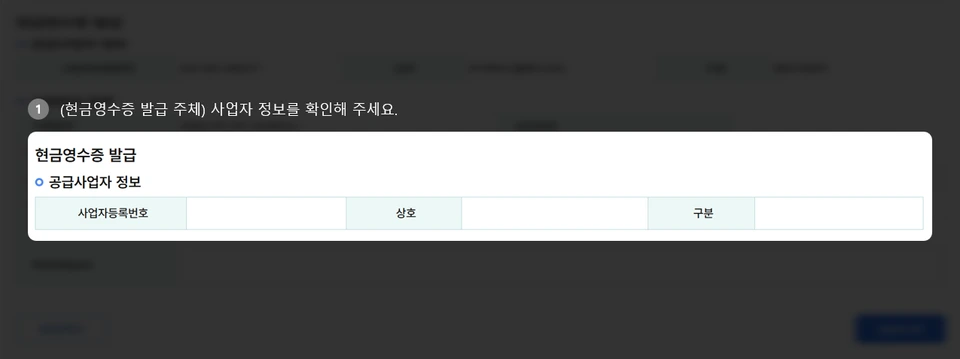
3. Verify Supplier Business Information
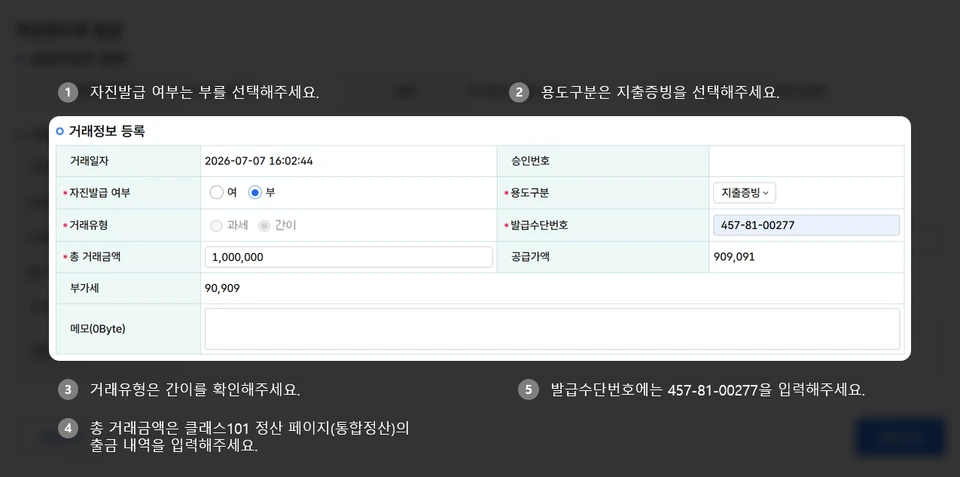
4. Enter Cash Receipt Information
5. Issuance Complete
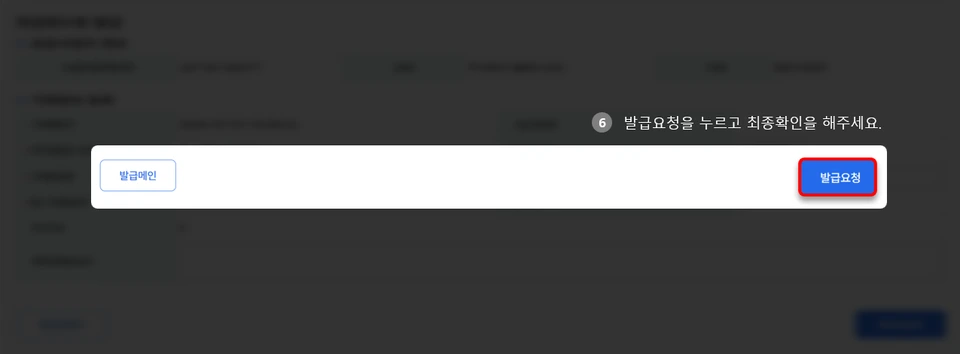
Click the Issue button at the bottom of the screen.
After final confirmation, press OK to proceed with the electronic signature via certificate, and the issuance will be complete.