AIThis document was translated by AI and may contain mistakes.

How to cancel CLASS101+ subscription

Class+ Subscription Cancellation Guide

'Cancellation' is different from a refund - it's a way to prevent additional charges on your next billing date. Even after requesting cancellation, you can continue using the service for the remaining period.

Subscription Cancellation Request Path

Please follow this path on the Class website or app.

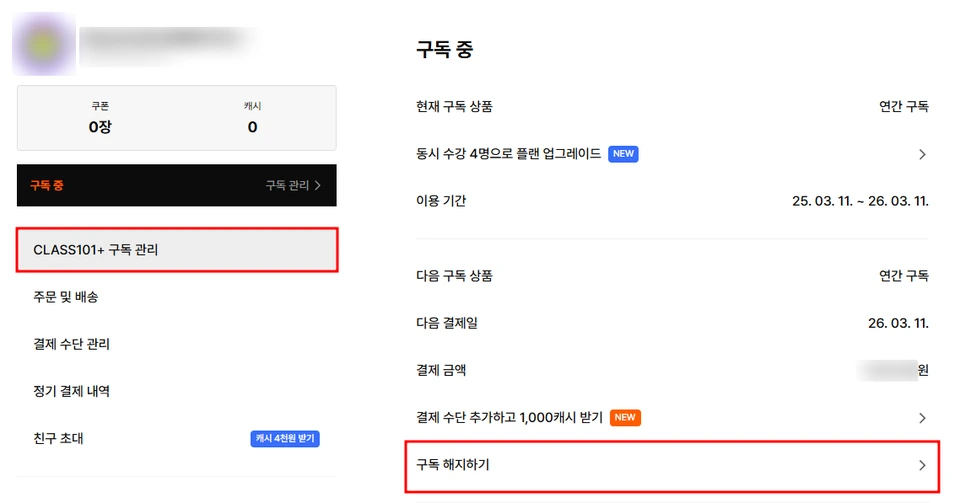
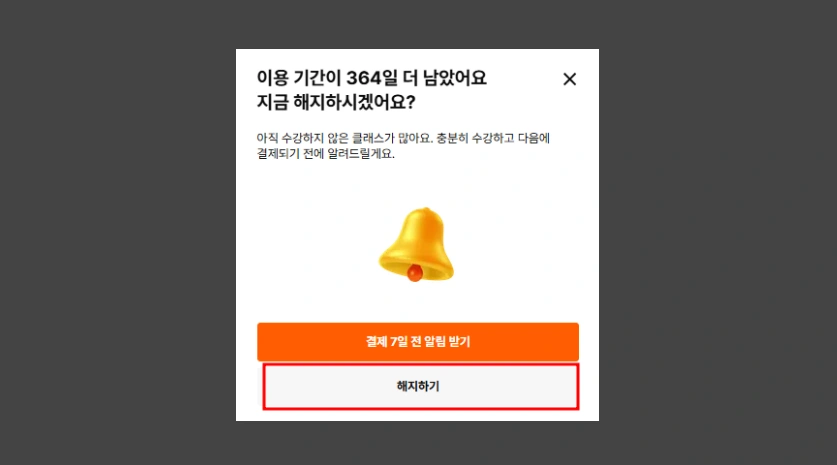
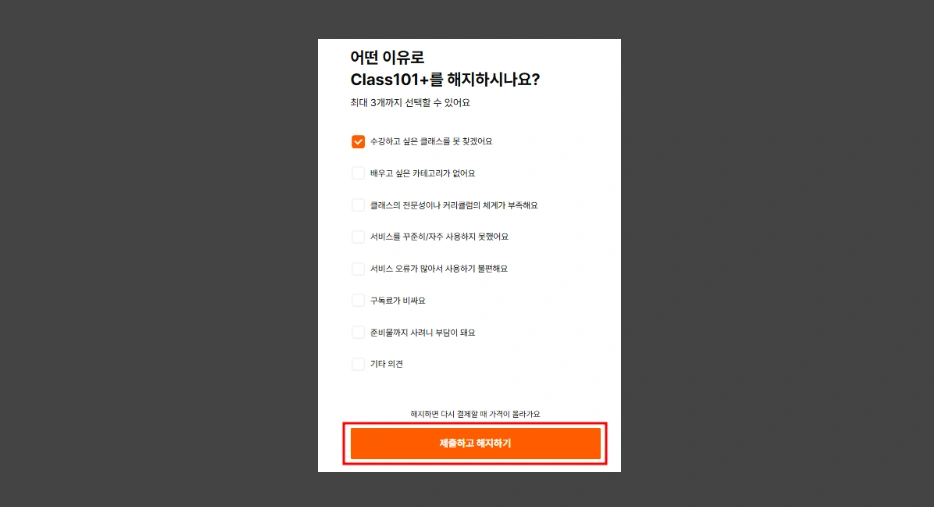
Log in > My Page (click profile in top right) > Class+ Subscription Management > Cancel Subscription > Cancel > Select Cancellation Reason > Cancel

Refund Request Path - Class+ Subscription Management > Cancel Subscription
Refund Request Path - Cancel
Refund Request Path - Select Cancellation Reason
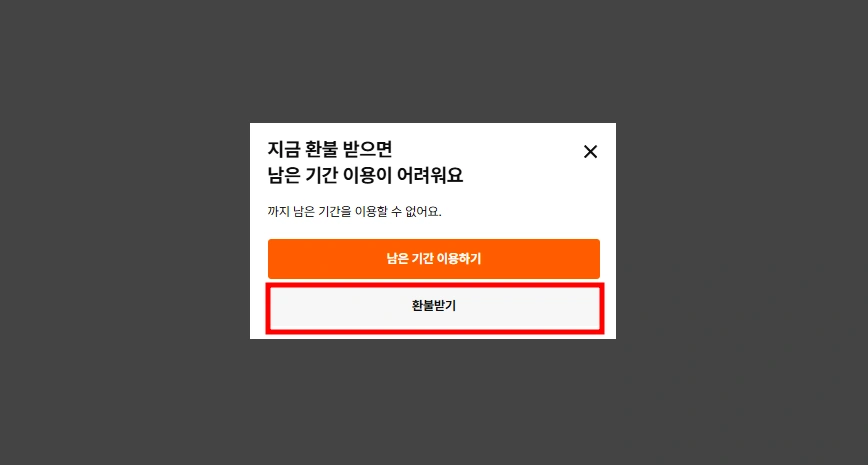
Refund Request Path - Get Refund

Subscription Cancellation Precautions

Refund Request Guide

Cancellation is different from refund. If you want a refund, please refer to the refund guide below and submit a refund request.

CLASS101+ Refund Method Guide Page

Contact Customer Service

Go to Customer Service

Was this document helpful?

스티븐Edited 2026-05-20 by 스티븐