Class Navigation Guide Using Sort Options
In CLASS101, you can easily sort and view classes in the explore screen by newest/most popular/recommended order using the sort options.
How to Browse Classes by Category
When you want to check the latest courses in a specific field
Select one of the category menus at the top of the CLASS101 main screen.
Click on the desired main category.
In the menu where you can select the sorting criteria, click on the desired sort order.
You can view classes in your desired order.

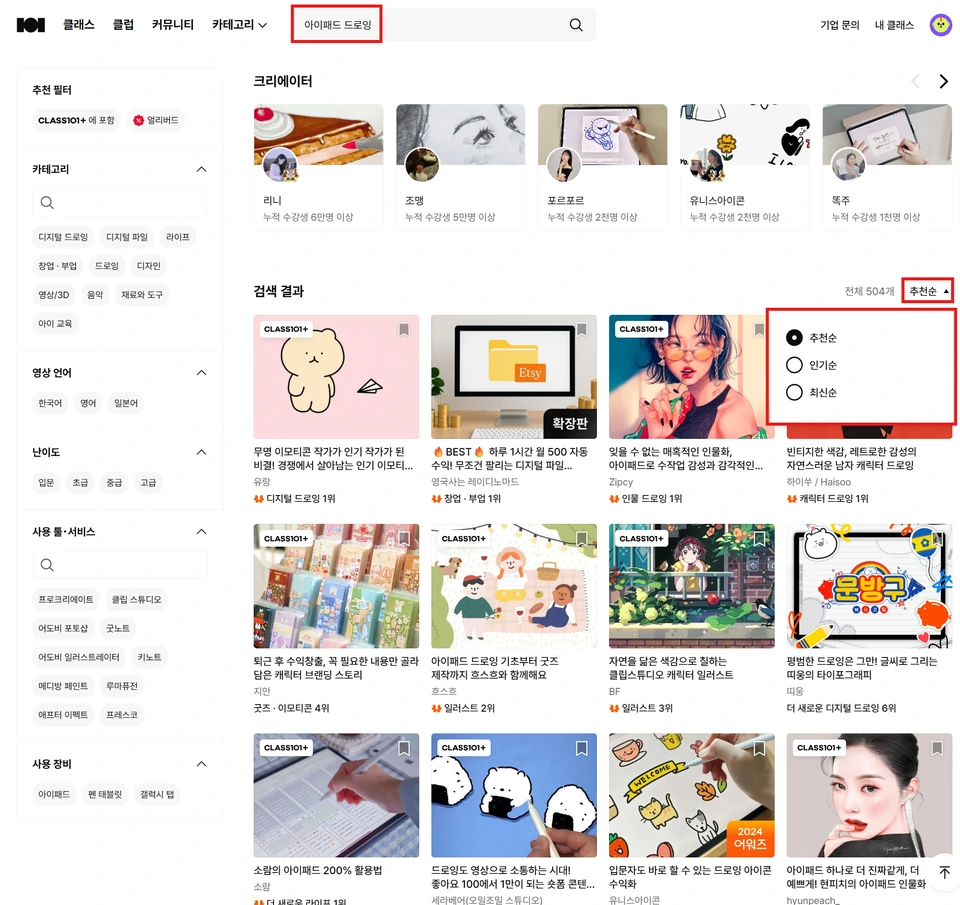
Search Method Using Search Function
When searching for courses with specific keywords
Top of the screenSearch boxEnter the desired keywords in
When the search results screen appears, at the topSort optionschecks.
Sort byin the menu where you can select, the desiredSort orderClick on it.
You can view search results in your desired order.